+972-54-921-6799
App module · University campus

Printing
for students

A module that lets every university student print from their phone, with barcode scanning at the print station and a prepaid digital wallet.
  • File upload
  • Prepaid wallet
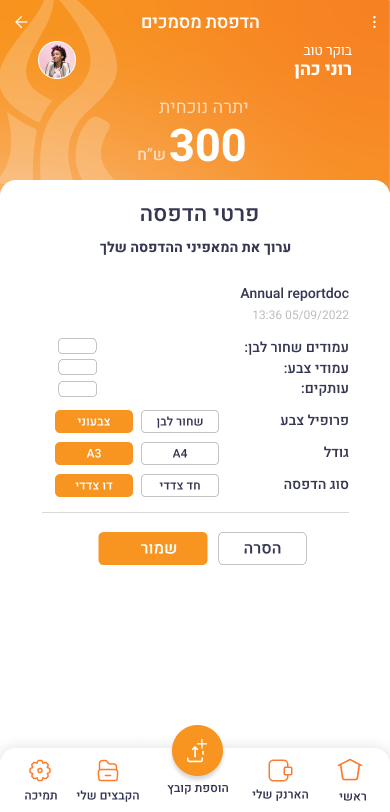
  • Print settings and history
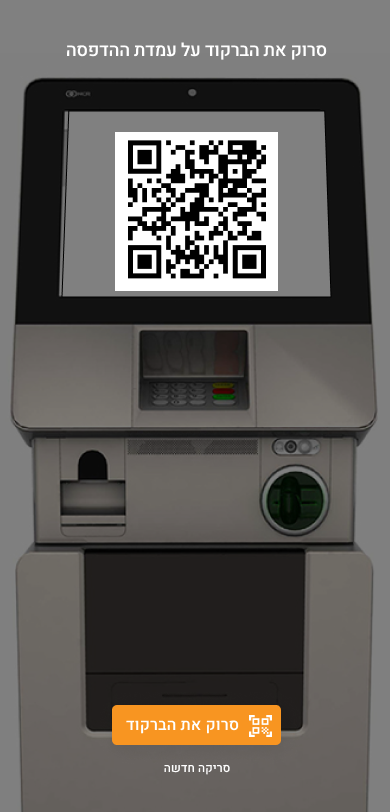
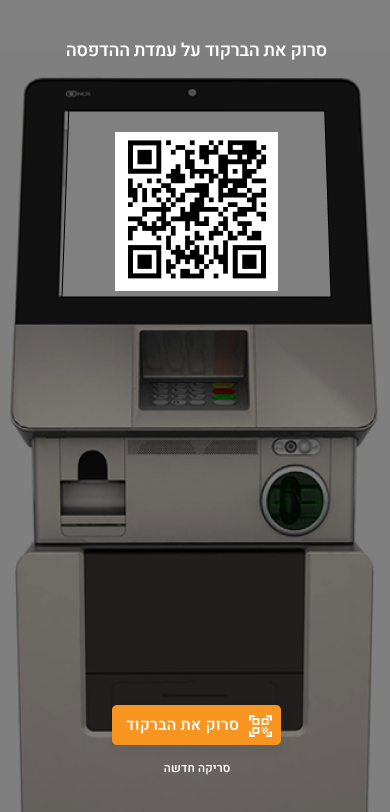
  • One barcode at the station
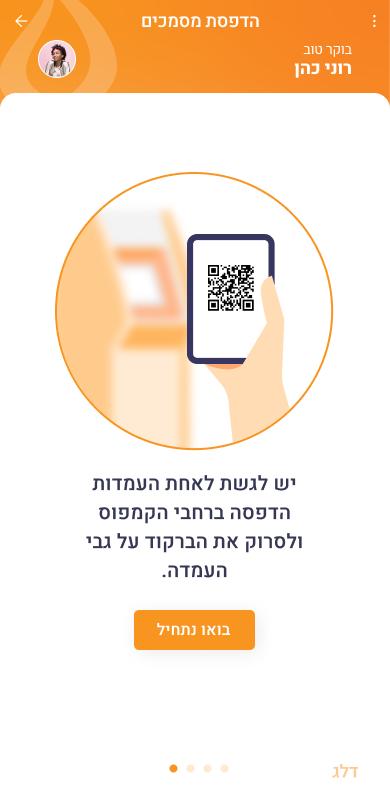
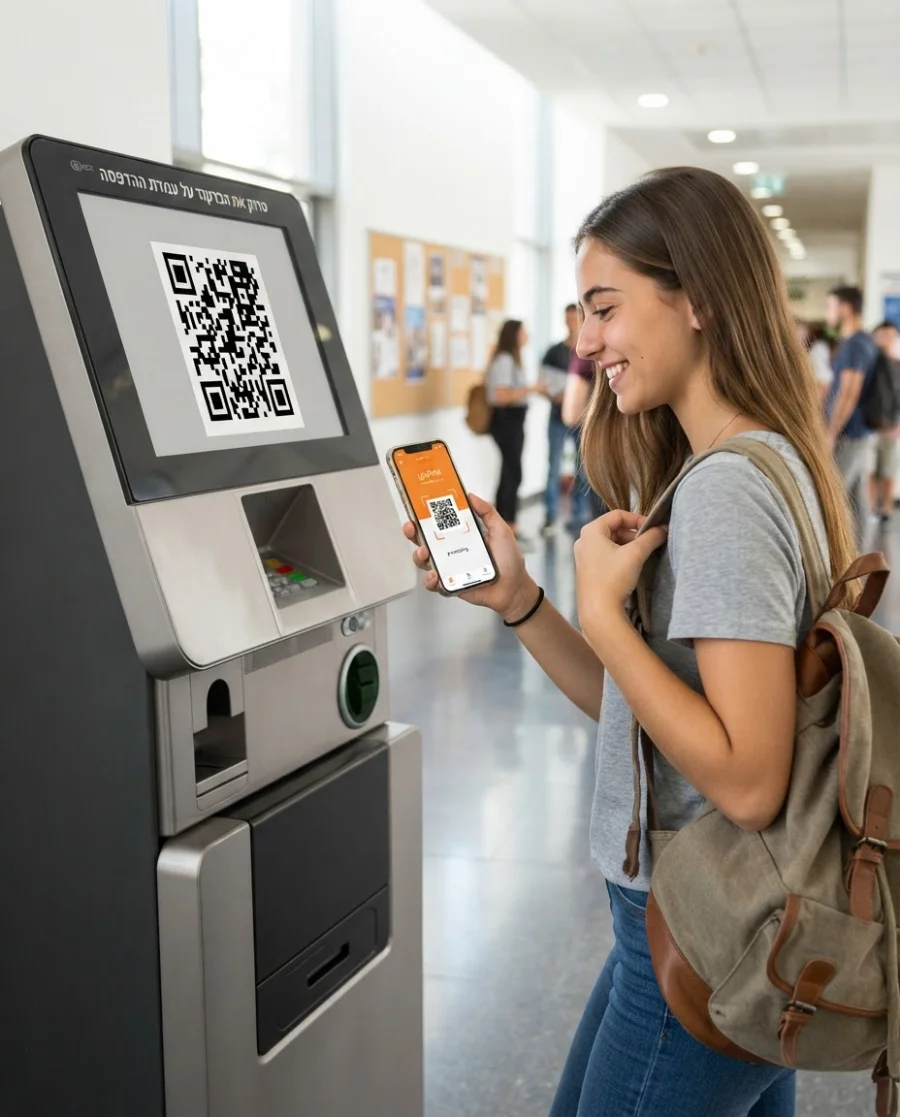
A student scans the barcode at a campus print station

Scan it, and get your pages

RoleApp UI/UX design
Target audienceUniversity students
InstallationCan be embedded in any university app
TypographyHeebo
01About the module

Print without the search

An app that lets every university student walk up with their phone, scan a barcode on the printer and print all the documents they've downloaded. The module can be installed in any university app.

The pain points
  • Where do I print?

    Students wander around campus looking for a free station, without knowing where it is or whether it works.

  • A line for a library computer

    To print, you have to log in to a computer, open your email, download the file and wait for the station to free up.

  • Copy cards and loose change

    You top up a card at the counter, and it's never clear how much is left on it until the printing stops halfway.

  • No control over print jobs

    You can't see what was sent, what was printed or what came off your balance, and every mistake costs paper and money.

02The challenge and the solution

Print stations across campus

The challenge: students have no convenient place or way to print around campus.

The solution: a printing module that lets students print at print stations using a barcode and a prepaid wallet.
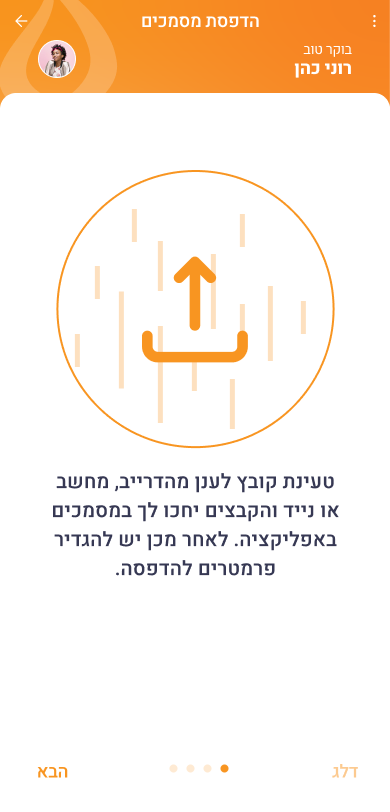

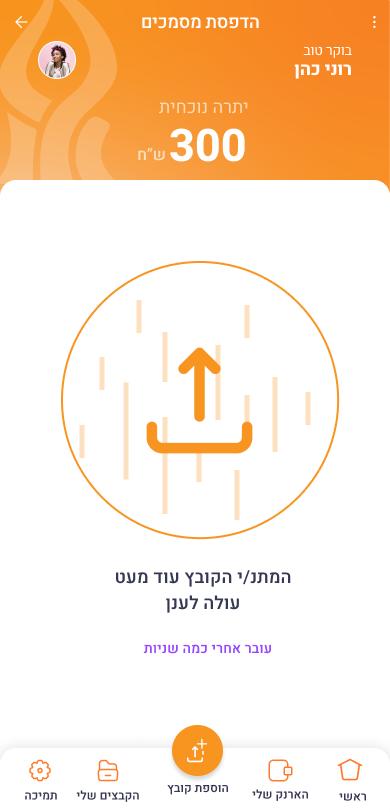
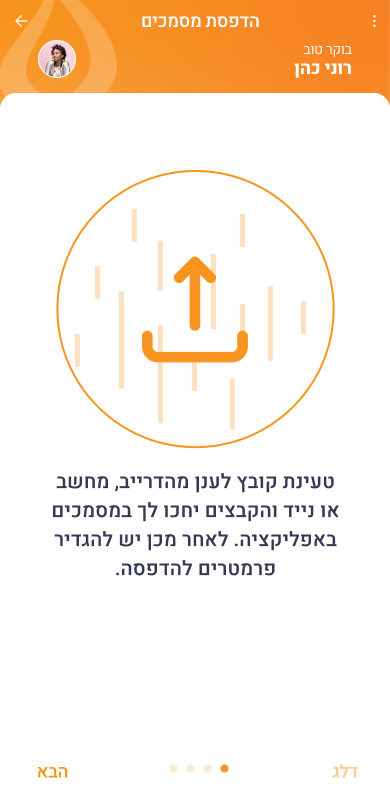
  1. 01Upload a file to print from your phone
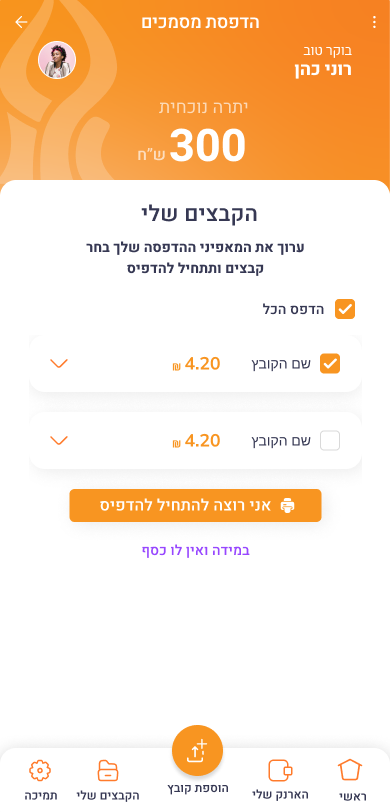
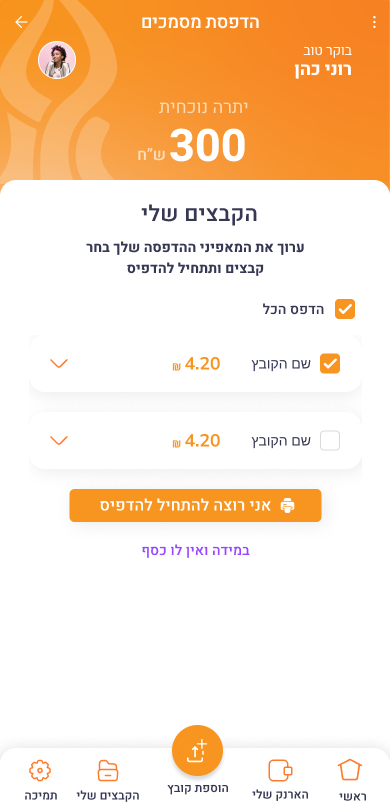
  2. 02Choose the files to print
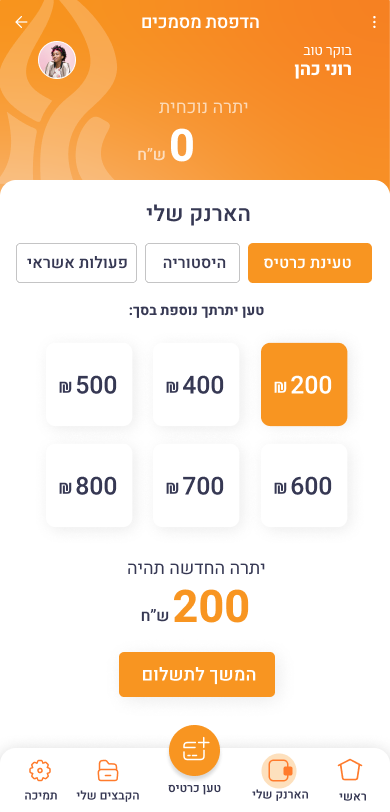
  3. 03Check there's money in the wallet
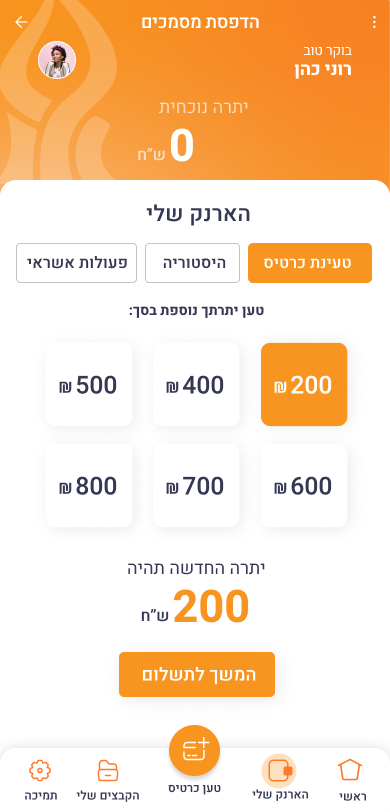
  4. 04Top up the wallet with a few shekels
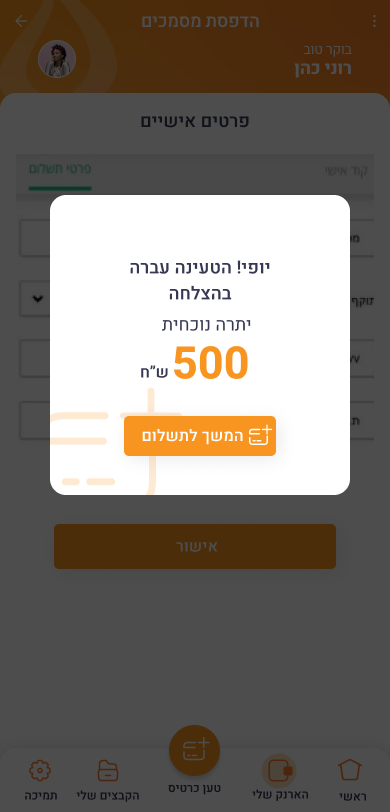
  5. 05Top-up successful
  6. 06Confirm the files to print
  7. 07Go to a print station on campus
  8. 08Scan the barcode at the station
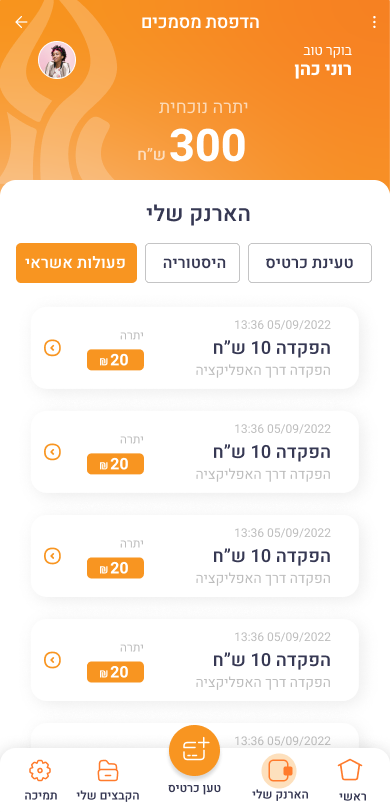
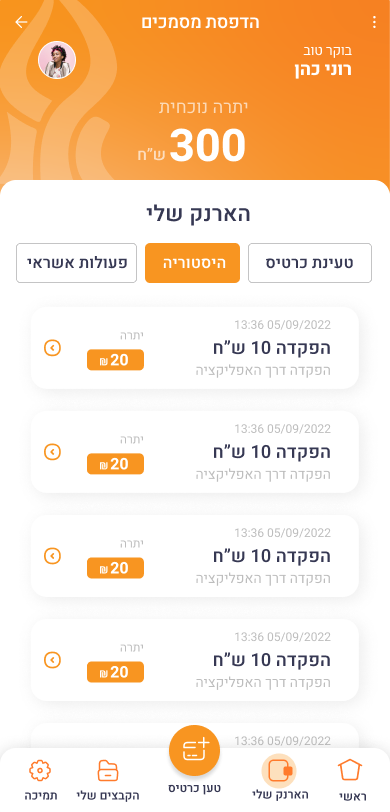
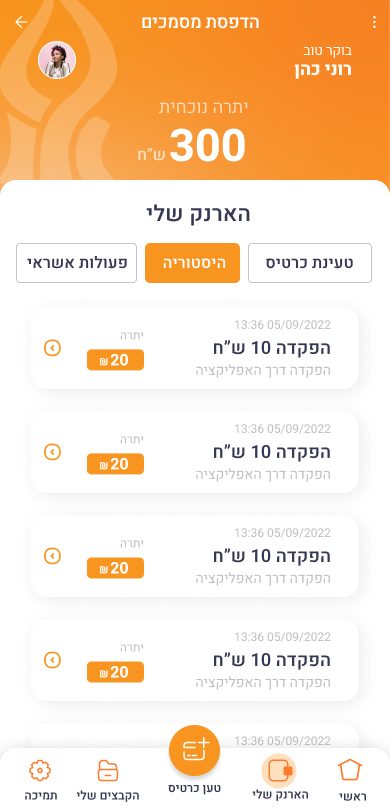
  9. 09The print job appears in the wallet
03Module features

Four actions, one path

1

QR code

Scan at a print station.

2

Digital wallet

Top up a wallet that pays for your printing.

3

Printing

Scan at a print station.

4

Add a file

Add a file to the file list.

04Who the users are

Two students, two needs

Gil Raz, 24

Gil Raz, 24

Third year, BSc in Computer Science
“I print assignments and lecture notes a few times a week, always in a rush right before class.”

Goals
To print quickly from his phone without hunting for a free library computer
Pain points
Lines at the stations, never having change on him, and no telling which station has paper
What helps him
A prepaid wallet, one barcode at the station, and printing in seconds
Shir Levi, 24

Shir Levi, 24

First year, BA in Psychology
“In my first year I didn't know the campus yet, and I had no idea where to print.”
Goals
To easily understand where the stations are and how the process works
Pain points
Feeling unsure about a new system, and afraid of paying for a print job that never comes out
What helps her
A short intro, a history of every print job, and a balance that's always visible
05Pain points and solutions

Three problems, three solutions

A new student, no guidance

Pain point

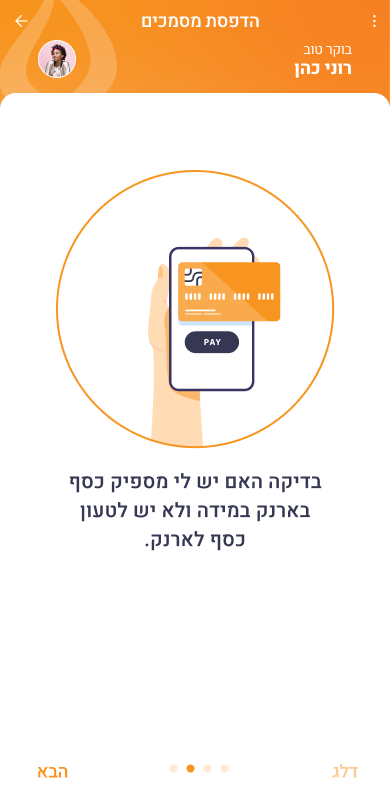
A new student who doesn't know how the app works.

The solution

Onboarding screens with illustrations, plus the option to skip straight to the app's main screen.

Student Printing Module

No time to print

Pain point

Students are short on time. They're busy with exams and work, or just hanging out with friends on the lawn.

The solution

It saves students time. They can easily upload documents to the app, top up and print.

Student Printing Module

Forgetting money for printing

Pain point

Students are busy, so they can easily forget to bring money for printing.

The solution

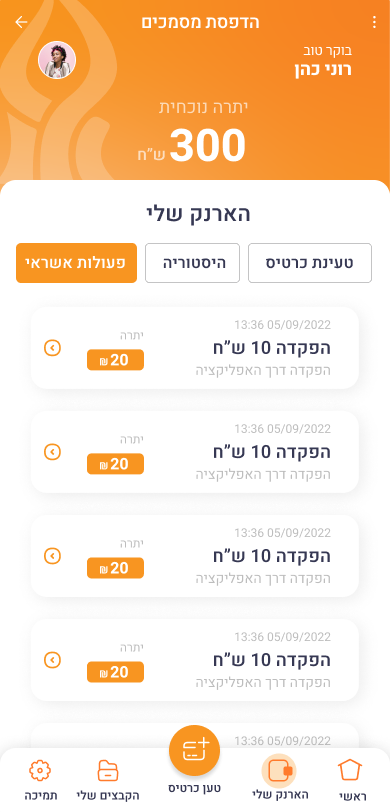
The digital wallet lets them load an amount without carrying loose change. When an unused balance builds up, they can see their top-up history, card updates and card transactions.
Student Printing Module
06Selected screens

The module, screen by screen

Drag or use the arrows · Click to enlarge
Main screen · 1/5
Main screen · 1/5
Main screen · 2/5
Main screen · 2/5
Main screen · 3/5
Main screen · 3/5
Main screen · 4/5
Main screen · 4/5
Main screen · 5/5
Main screen · 5/5
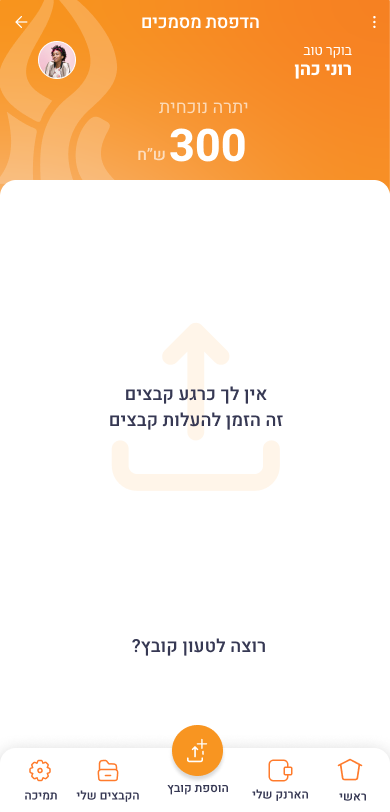
Document intake
Document intake
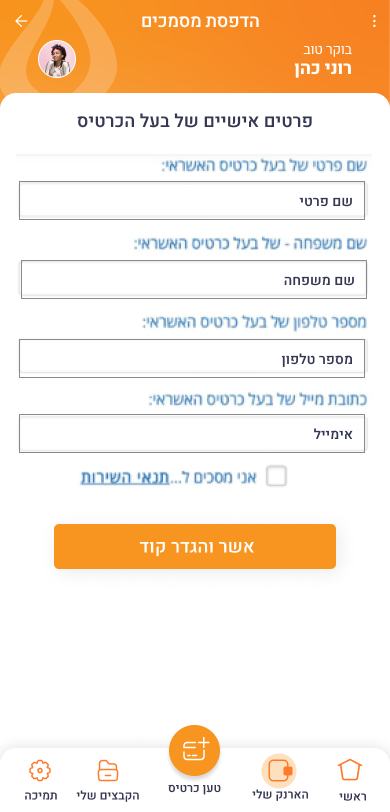
Wallet top-up
Wallet top-up
Top-up window
Top-up window
Card transactions · 1/2
Card transactions · 2/2
07Design language

Colors

AaHeading, HeeboBold · 22pt
AaBody textRegular · 20pt
AaLabelRegular · 20pt
#F6932E
#000000

More projects

BUYMYCAR

BUYMYCAR

B2B · Tenders · Web system
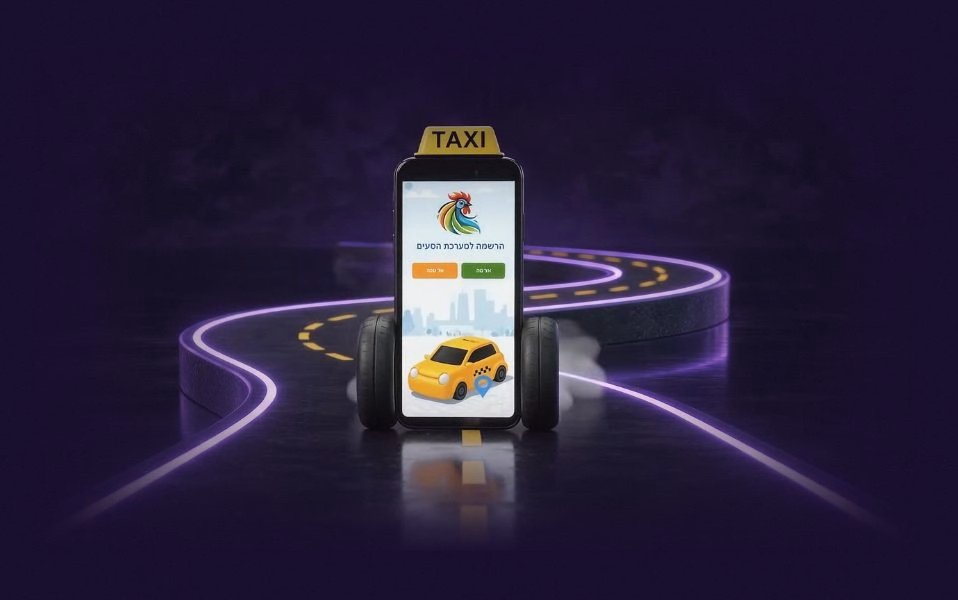
Taxi & Rides System

Taxi & Rides System

Mobile · iOS / Android
LiaMOR

LiaMOR

Design · Branding · Dashboard · Mobile
Smart Agent

Smart Agent

Chatbot · AI · Mobile
Dining room

Dining room

Design · Management · Staff interface · Mobile + Web
AUTO 360

AUTO 360

Vehicles · System · Dashboard
Trigo

Trigo

Mobile · Real estate · GIS
Greenberg

Greenberg

Appraisal · B2B · Internal system
Zoorix

Zoorix

Onboarding · Dashboard · Web
Tilez

Tilez

Branding · Real estate · Website
Avodata

Avodata

Comparisons · Filters · Web App
Haklayit

Haklayit

Dashboard · Agriculture
YYY

YYY

Events · Gifts · Mobile
Insoles Questionnaire

Insoles Questionnaire

Questionnaire · Personalization · Web

Have an idea for an app or a system?

I'd love to hear about it, map it out with you and design an experience your users will love.