


01The challenge
A whole market with no single place
A car declared a total loss doesn't end its story at the tow truck. The supplier, such as an insurance company or an appraiser, needs to sell it, and dealers buy it to break it down for parts, rebuild it or compete for it in a tender. Every deal involves several dealers, several bids, and pickup and payment dates.
The goal was to plan one system where each side sees exactly what it needs: the supplier uploads a vehicle and receives bids, the dealer finds a vehicle, places a bid and tracks it, and both sides always know what stage the deal is at.
02The solution
Two interfaces, one language
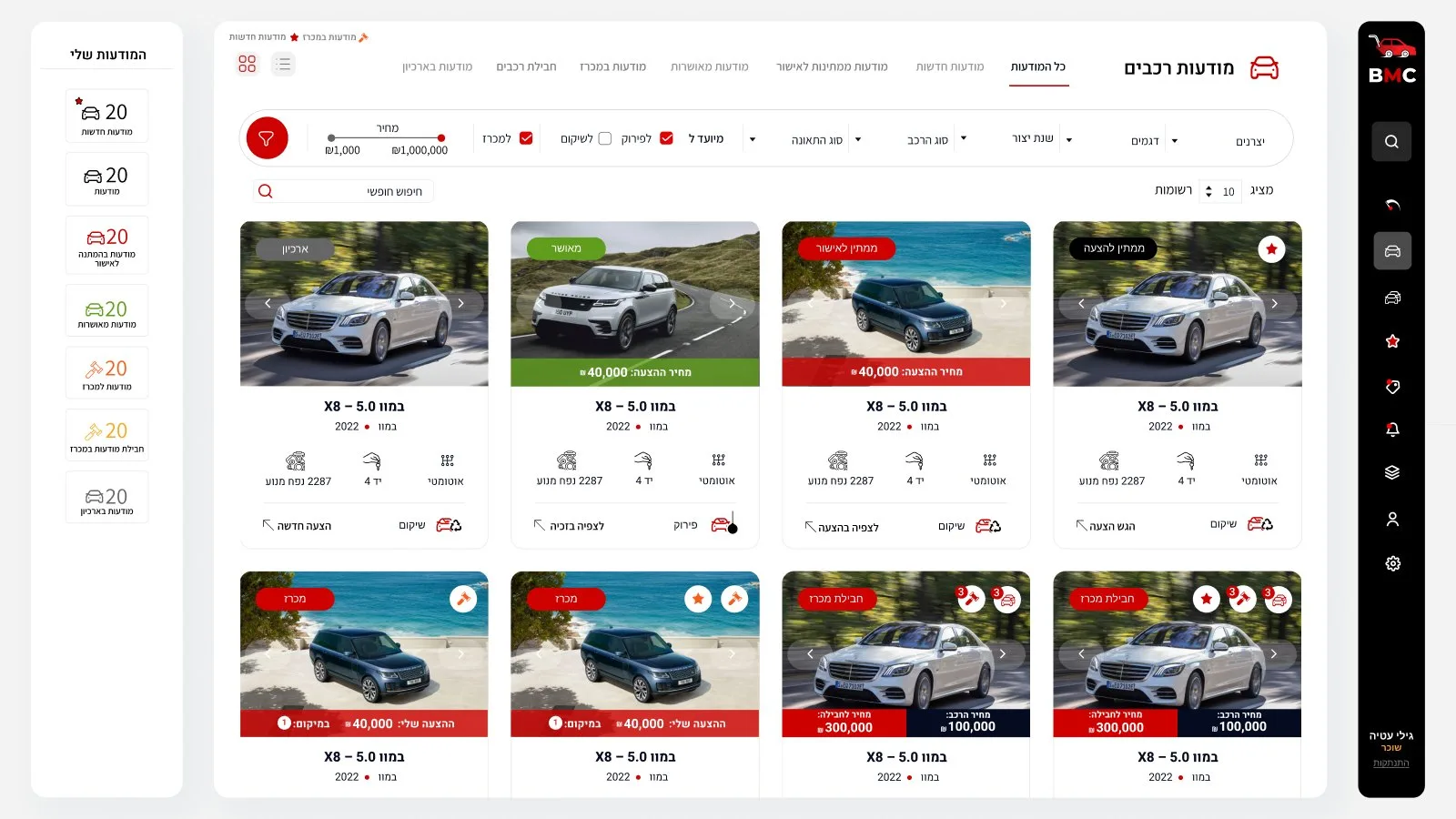
I planned the system around two roles, dealer and supplier, who share the same design language and the same listings table, while each gets the actions relevant to them. A fixed icon sidebar, quick-access counters on the dashboard, and a color-coded status for every listing and every bid.
Listings by intended use: parts
Rebuild, tender and vehicle bundle
Bidding and tenders
A color-coded status for every deal
Vehicle upload in five steps
Alerts for wins and new bids
03Who uses the system
Three roles, three points of view
The dealer
Searches for vehicles by intended use, make, year and price, places bids and takes part in tenders. The dashboard shows his bids by status: pending approval, approved or archived, and he gets an alert when he wins.
The supplier
Uploads new vehicles, receives bids from several dealers, compares them and approves the best one. He sets a minimum price, a pickup date and a payment deadline, and can reserve a vehicle for a specific dealer.
The system admin
Manages the users, dealers and suppliers, as well as the system settings, and gets a full picture of all listings and bids.
04The dealer side
Find a vehicle, bid and win
Dashboard
Quick-access counters: new listings, bids pending approval, approved bids, tenders and vehicle bundles. Below them, tables of listings and bids with color-coded statuses, and win alerts on the side.
The listings page
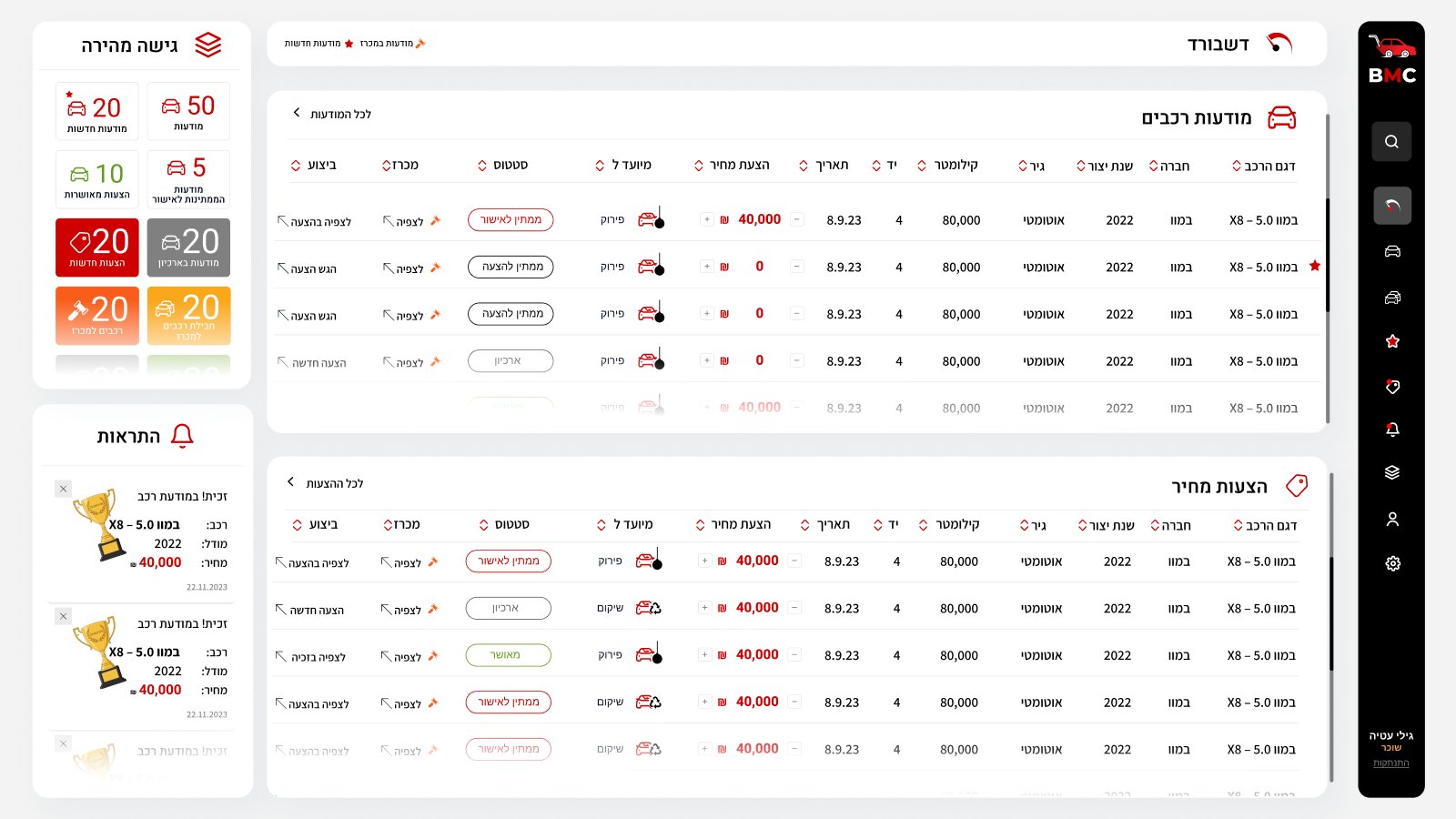
Vehicle cards with photos, intended use, number of owners, transmission and engine size. Filters for make, model, year, vehicle type, intended use and price range, plus a switch between card view and list view. Tenders and vehicle bundles are marked with their own tag and price.
Vehicle page and bidding
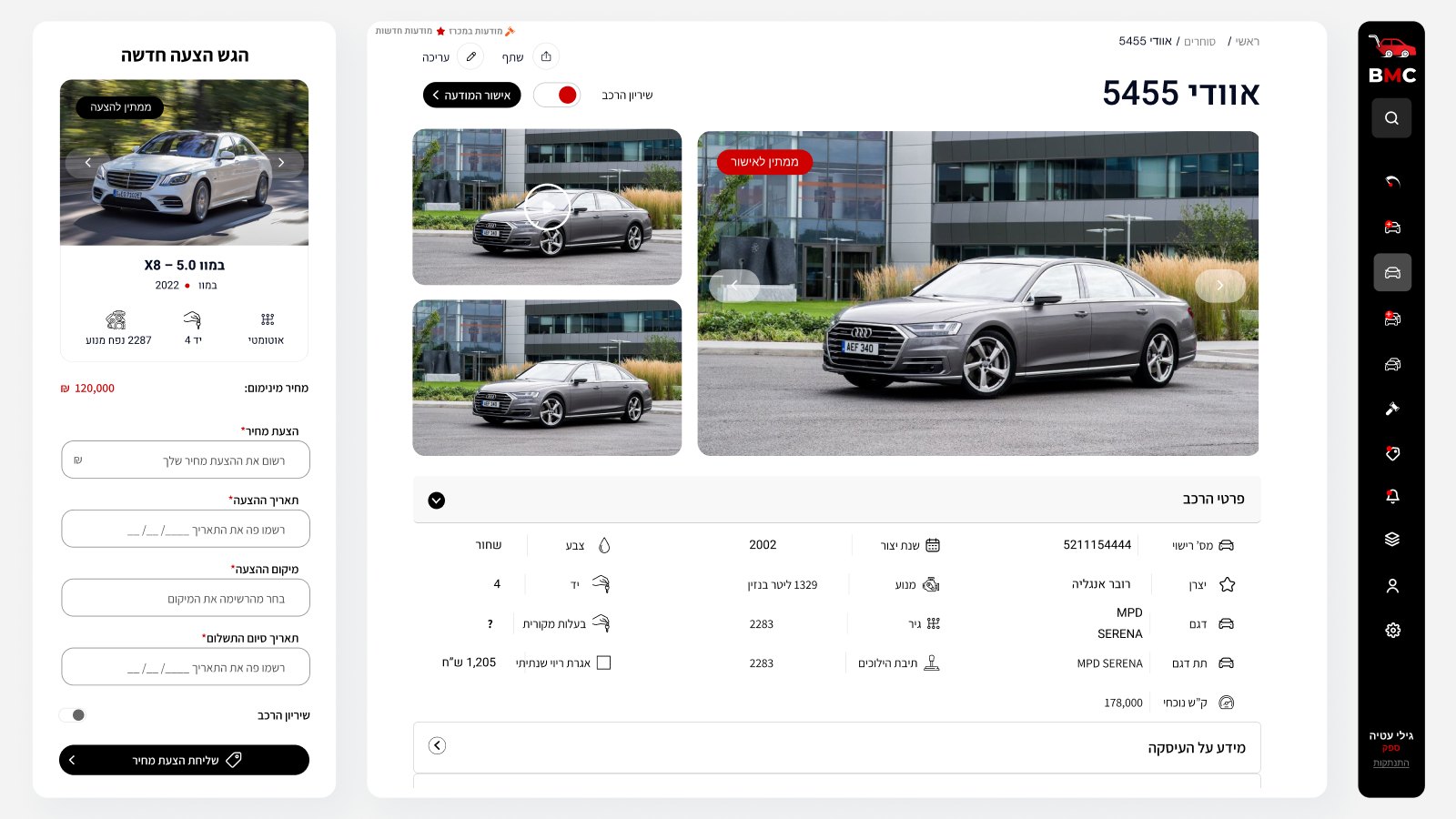
A photo and video gallery, full vehicle details and deal information. On the side, a bid form with the minimum price, date, location and payment deadline.
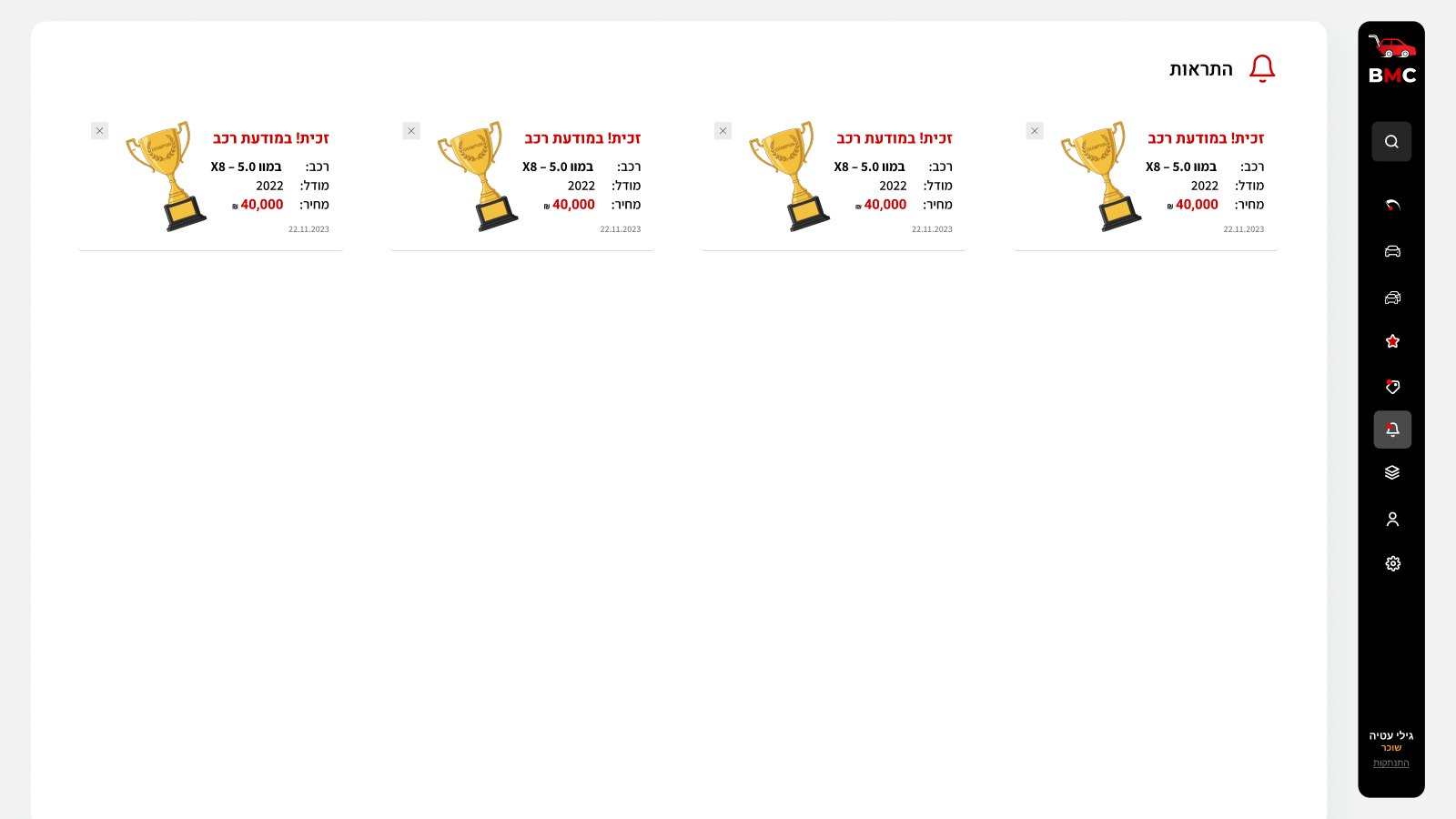
Alerts
A clear card for every win, showing the vehicle, year and price, so the dealer knows right away that the deal is his.
05The supplier side
Upload a vehicle and pick the right bid
Supplier dashboard
The same structure as the dealer's, with the supplier's own counters: listings pending approval, listings in a tender, new bids and approved bids.
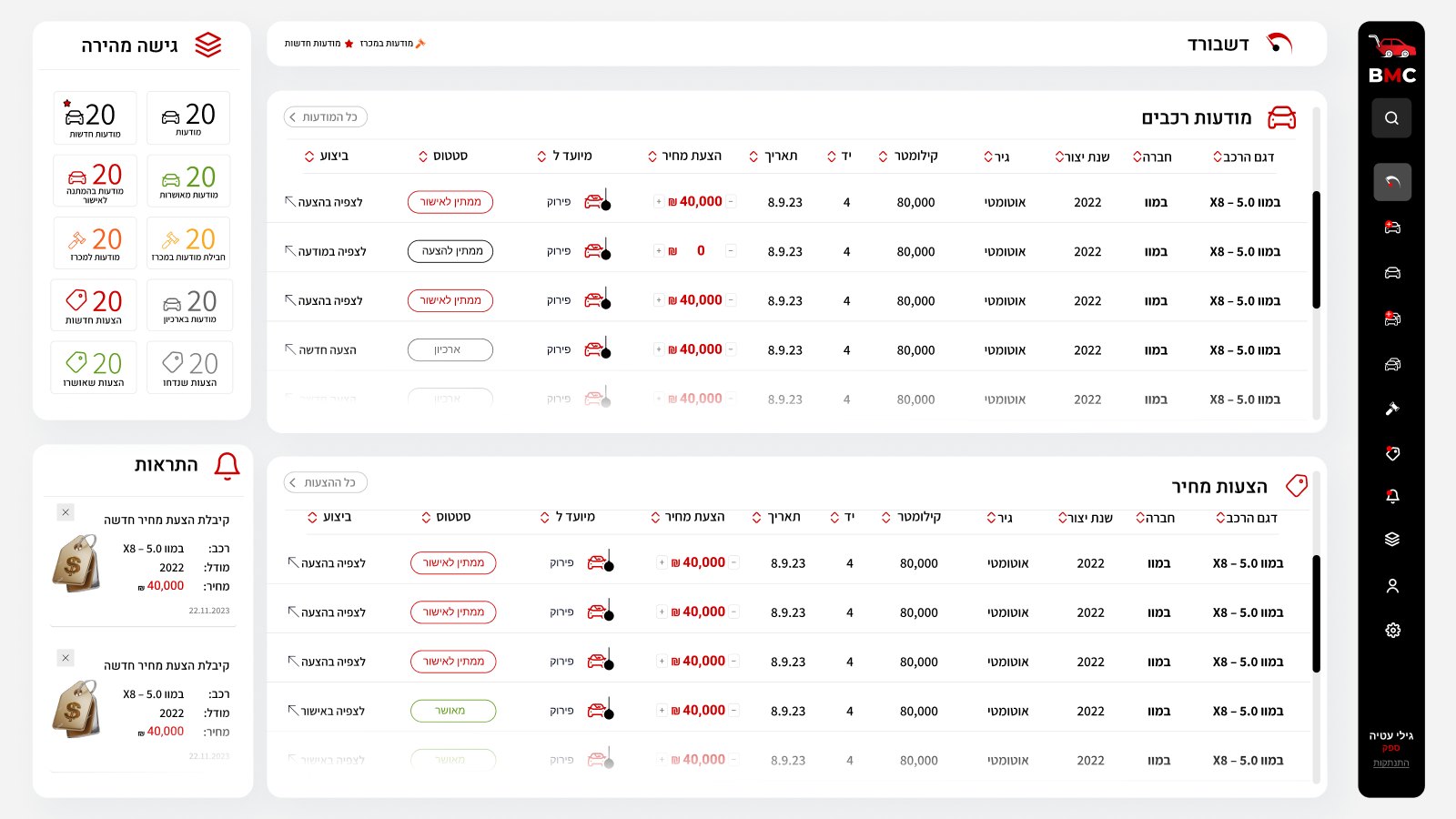
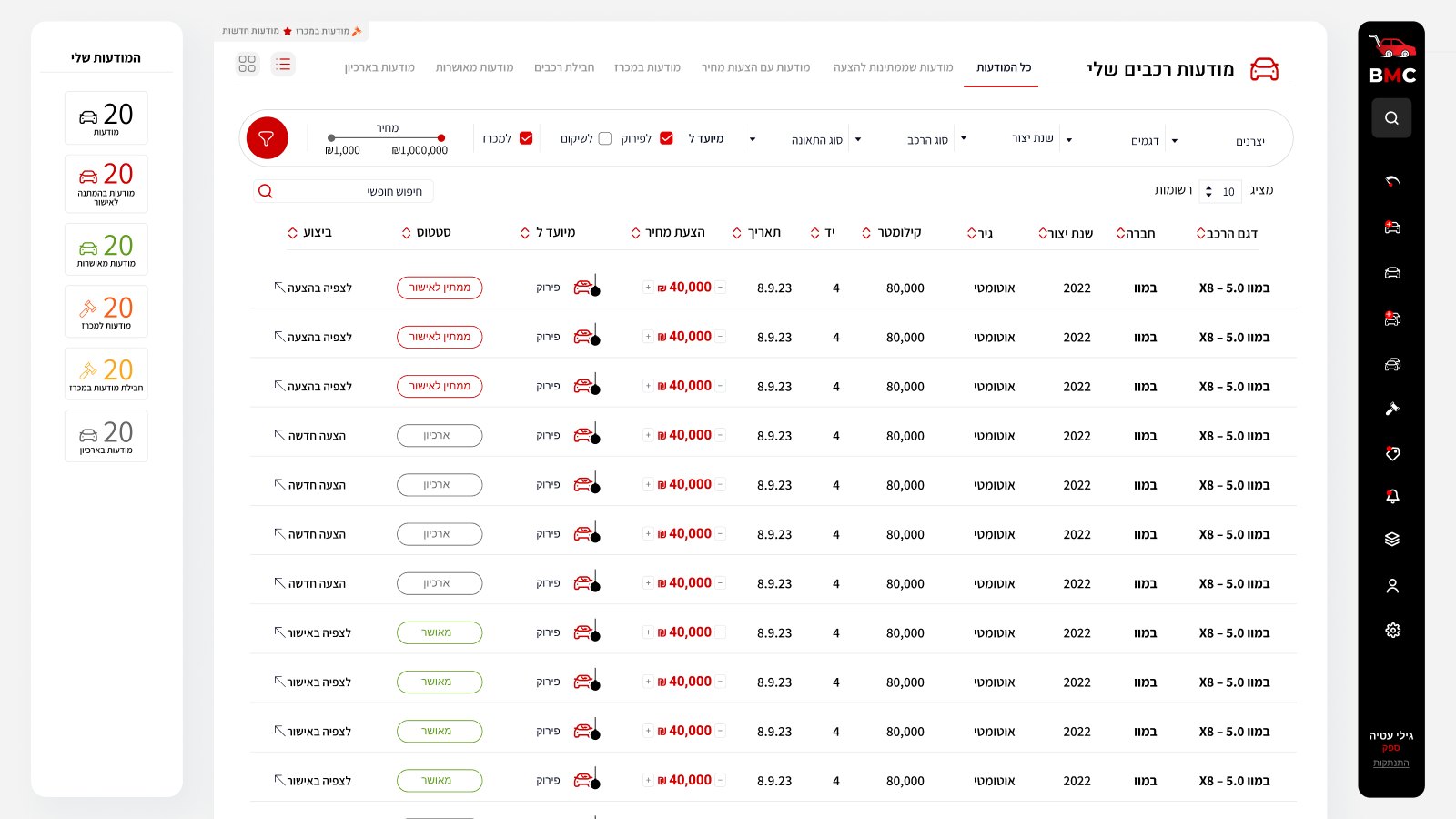
Listings and bids
Tabs for each stage of the deal: all listings, published listings, in a tender, with bids, and approved. Every row shows the status and the next action.
2 screens · Drag or click the arrows
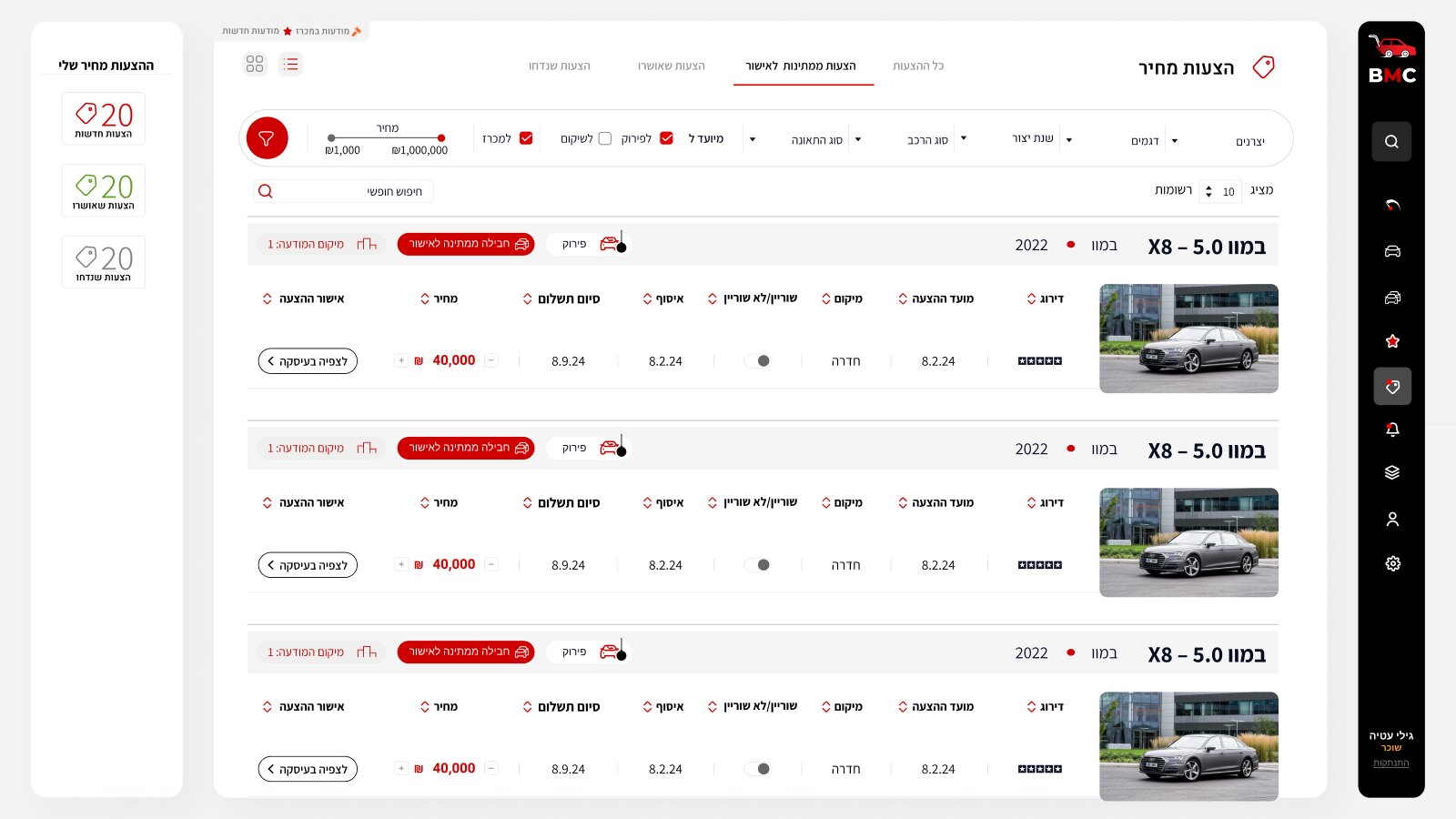
Comparing and approving bids
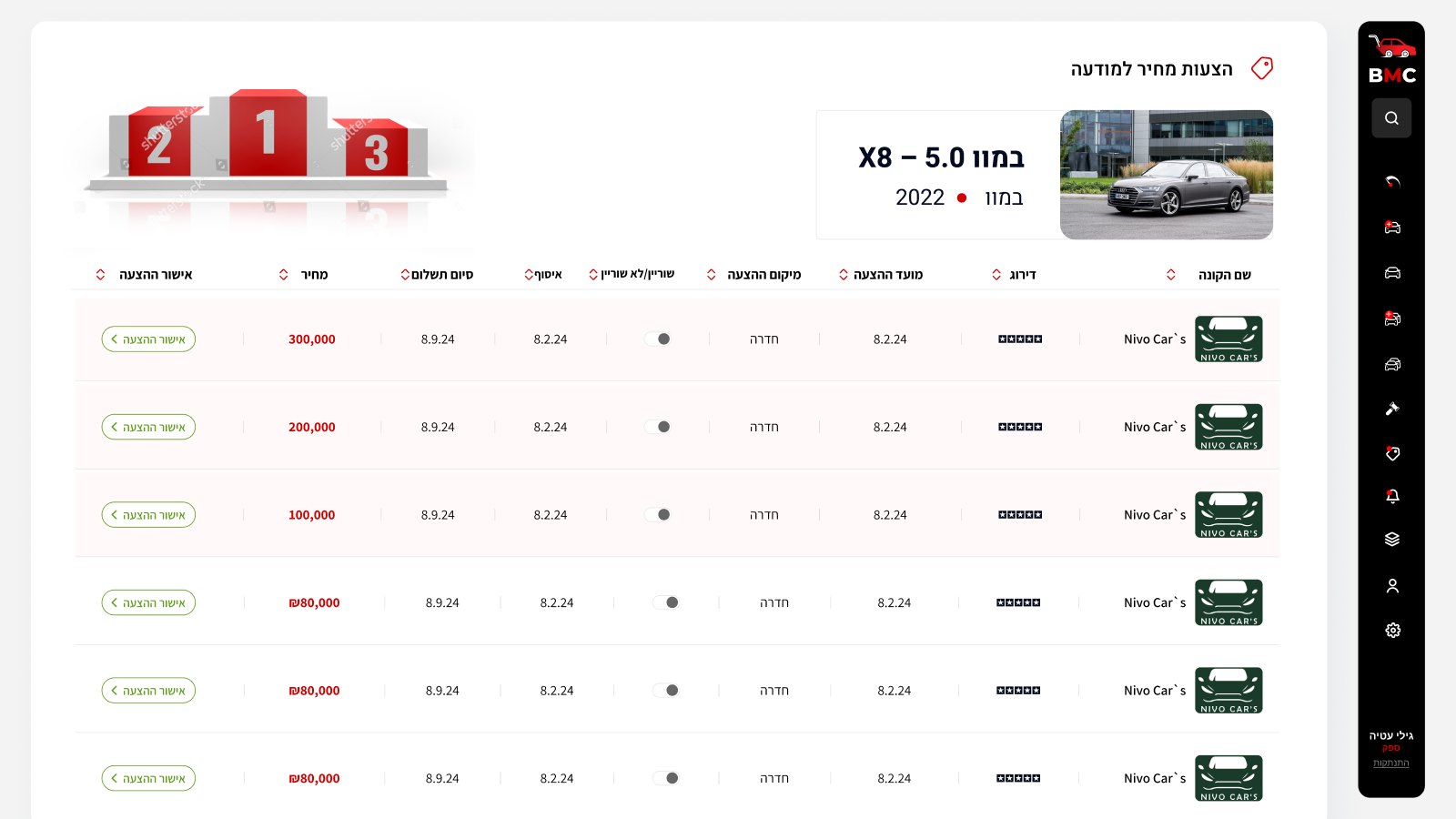
All the bids for one vehicle in a single table: buyer name, rating, bid time, location, reservation, pickup date and payment deadline. The three highest bids are highlighted, and a single button approves the bid.
Uploading a new vehicle
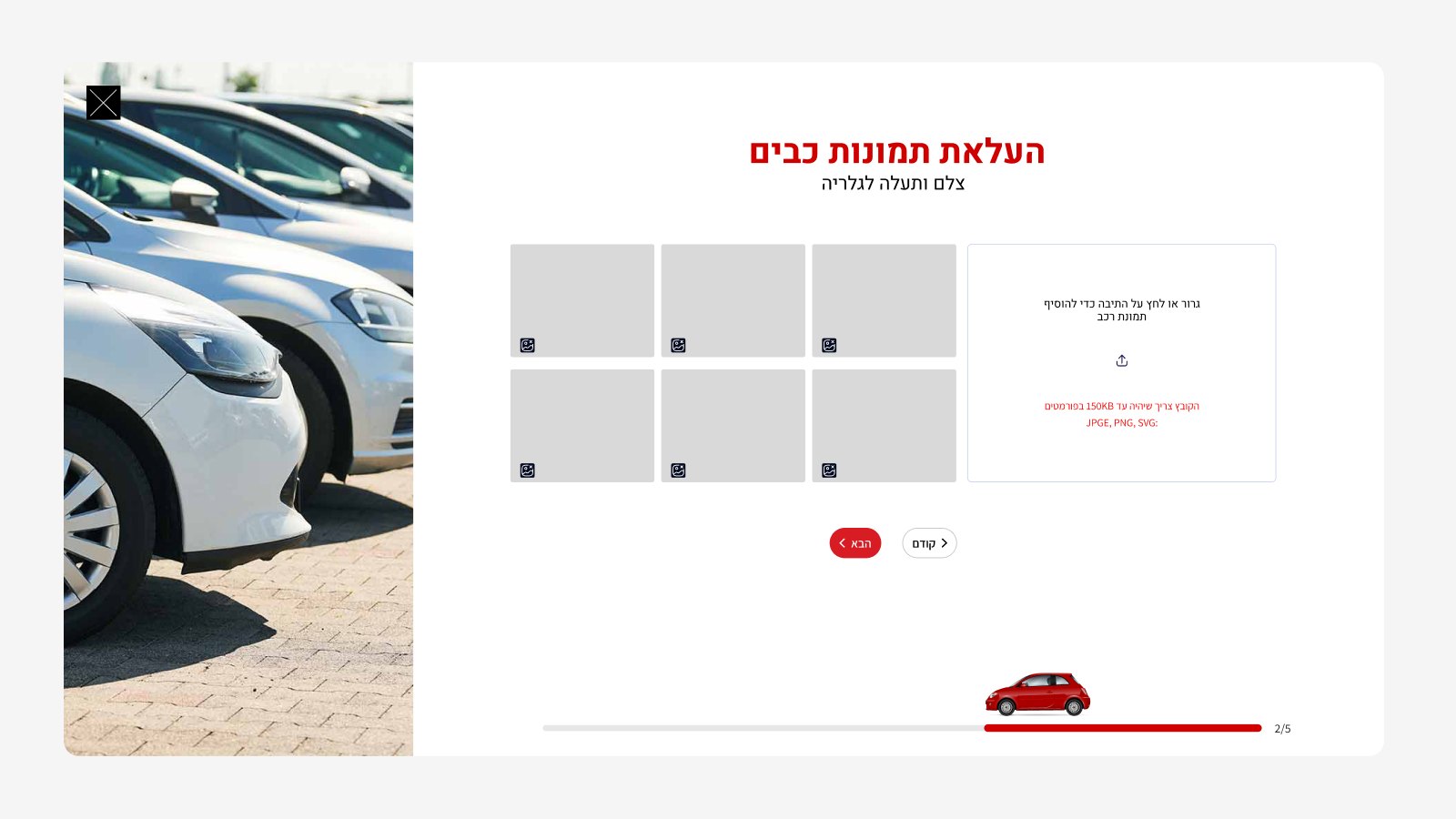
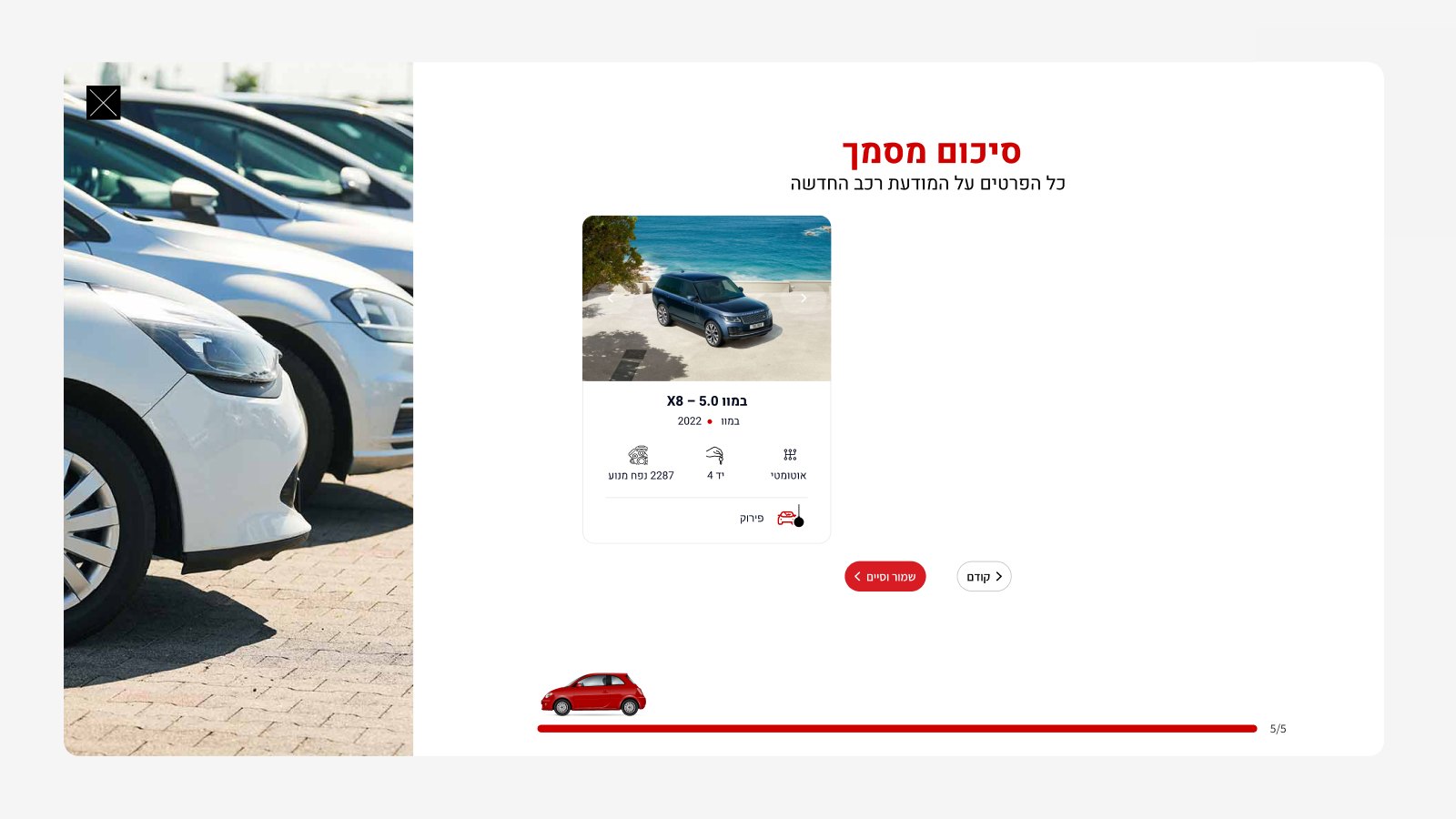
A five-step flow with a progress bar where a little car drives along the track. Drag-and-drop photo upload, video, and a summary of the listing before saving.
2 screens · Drag or click the arrows
06The UX logic
Small decisions that save phone calls
Color-coded status
Every listing and every bid gets a colored tag: red for pending approval, black for awaiting bids, green for approved and gray for archived. You can scan a whole table in a second.
Intended use as an icon
Parts, rebuild, tender and vehicle bundle each get a fixed icon, so a dealer can tell at a glance whether a vehicle suits him.
Quick-access counters
The dashboard opens with the numbers that need action, and clicking a counter leads straight to the filtered list.
A podium for bids
On the bids page the three highest bids are highlighted, so the supplier can approve the best one without doing the math in his head.
A progress bar with a car
When uploading a new vehicle, the user always knows which of the five steps they're on, and the car driving along the track turns a long form into a light, easy process.
07Design language
Colors
#E31E24
#000000
#FFFFFF
#F4F4F4
#3FA535











 Sarit ZobelOnline · Replies soon